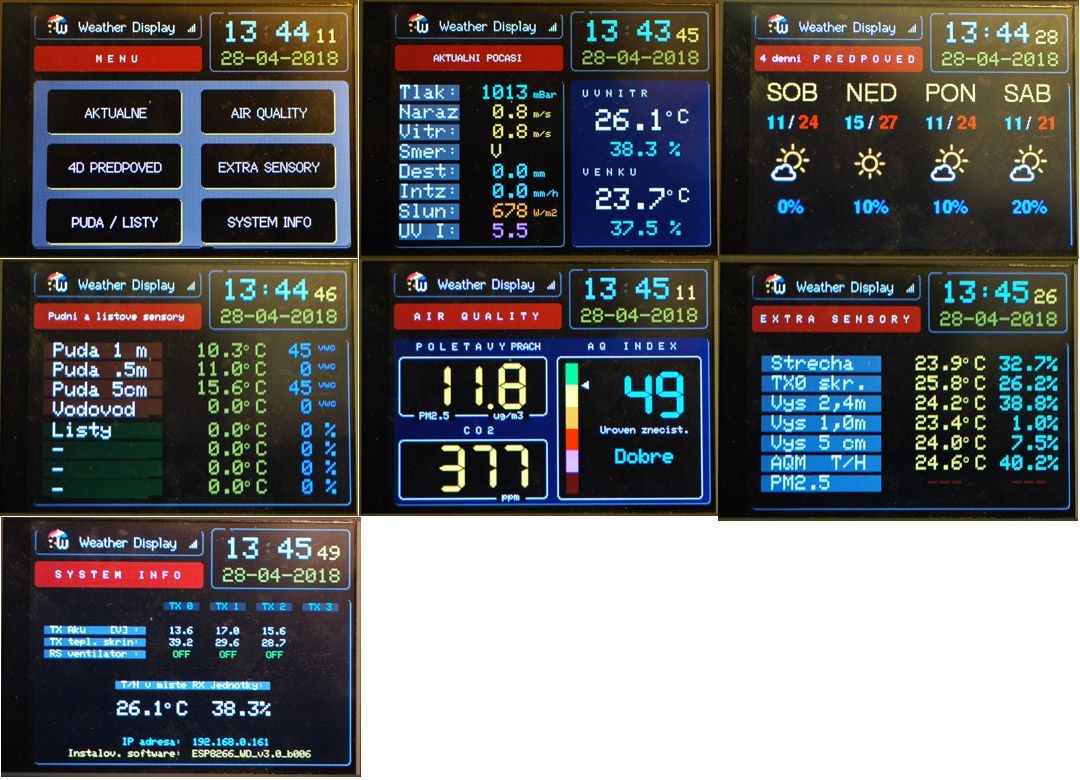
Tonight I successfully updated my Wireless Display unit to the latest release
WeatherDuino 4Pro Wireless Display v3.0_b006 - 2018-04-24,
This was also the first time I used the "
Over The Air" (OTA) method of updating the wireless display, it worked surprisingly well.
I did need to do some extra reading on how to set this function up and found this link most useful -
http://esp8266.github.io/Arduino/version...dates.html . Before reading this, I had installed "
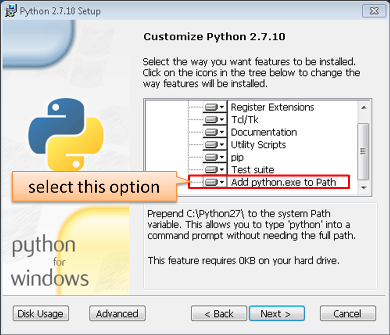
Python 2.7" without "
Add python.exe to Path" installed. This by default is not installed and needs the user to select it.
I think one of the best features of this display is having the localised weather forecast icons. Best of all, this forecast is from
MY weather station through
Weather Underground - a truly unique feature.
I also like having the seconds tick by on the clock; this could be a useful timing piece for other work I do.
Having the "
Receiver Location T/H" temperature/humidity displayed on the "
System Information" page is a nice addition as it allows the wireless display to have its own unique temperature sensor while still being able to see what the main receiver's temperature is - ideal for if they are in different rooms.
As part of the development, maybe a "dark clock" mode could be developed for the "big clock" display. Sadly it is not possible to dim the LCD backlight through software, but using dark colours, closer to the black background, could help make the display appear darker without actually needing to physically dim the display. Could be useful for dark rooms like bedrooms at night.
In the coming weeks I will have my unit in an enclosure and intend to use it on a beside table.