Thread Rating:
  • 1 Vote(s) - 5 Average
  • 1
  • 2
  • 3
  • 4
  • 5

WeatherDuino UPS
#61

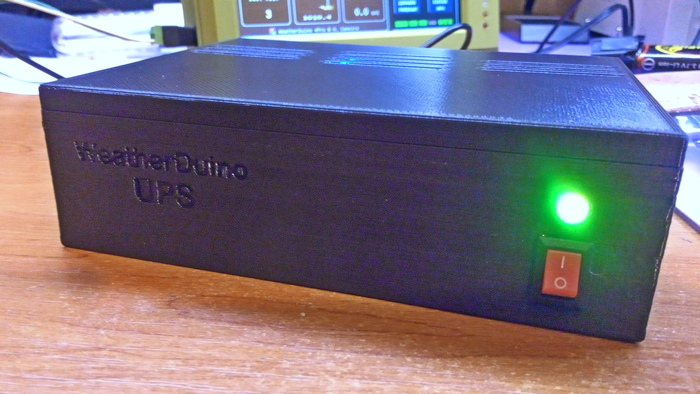
I designed a 3D printable basic enclosure for the WeatherDuino UPS board v1.3
Top cover can easily be removed by hand to inspect or change batteries. No screws.
Can be printed at 0.3 or 0.2 resolution.
Hope it be useful to someone.
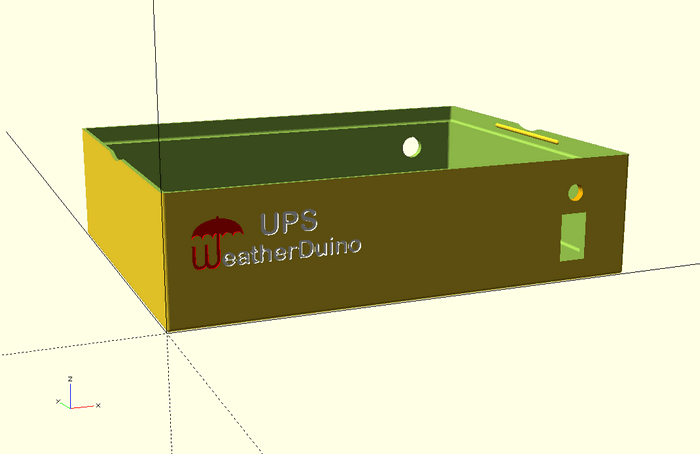
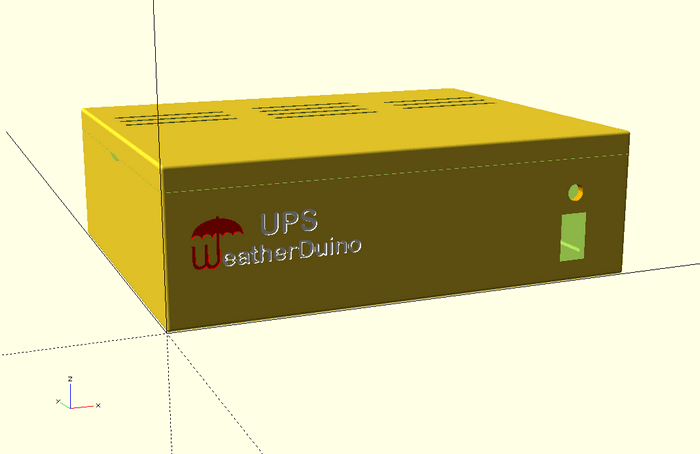


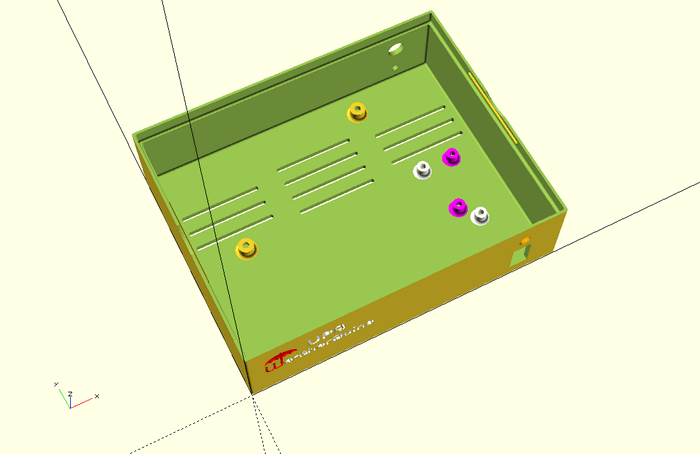
Box includes some extra standoffs, because I use an extra step down converter (white type 1, magenta type 2).


Picture of the first version of this enclosure, without the WeatherDuino logo on the front panel.


Attached Files
.rar Box_WeatherDuino_UPS_Board_v1.3.rar Size: 1,22 MB  Downloads: 226
Reply
#62

Nice job! You learnt that quick!
What software package did you use? I started in Sketchup and now use Fusion 360 but use TinkerCAD for quick jobs.
Reply
#63

Hi Uncle_Bob

Much by the contrary, my abilities to draw always have been close to absolute zero, and continue that way... I tried some of the common 3D design software, with no success. In the process of searching, I had found OpenSCAD. Its use is completely different, is more like programming than drawing. Besides that, there are dozens of scripts, specially for boxes, which after some quick learning, can easily be adapted to your needs.
For complex designs from scratch, OpenSCAD require advanced knowledge of geometry and maths.
For now I'm quite happy in being able to 3D print very basic boxes to some of my electronic projects, of course these simple designs are far behind of the excellent WeatherDuino enclosures, designed by the master Jarek.

For the box above, I did many changes on the original script code. Now I can get any similar box, just by changing some parameters on the interface, like width, height, etc... its an work in progress.


As said, there are many scripts for OpenSCAD, take a look at this one:

https://www.thingiverse.com/thing:1264391

   
Reply
#64
Heart 

The box is looking pretty awesome Heart
Reply
#65

(27-03-2020, 04:14)Werk_AG Wrote:  I designed a 3D printable basic enclosure for the WeatherDuino UPS board v1.3
Top cover can easily be removed by hand to inspect or change batteries. No screws.
Can be printed at 0.3 or 0.2 resolution.
Hope it be useful to someone.


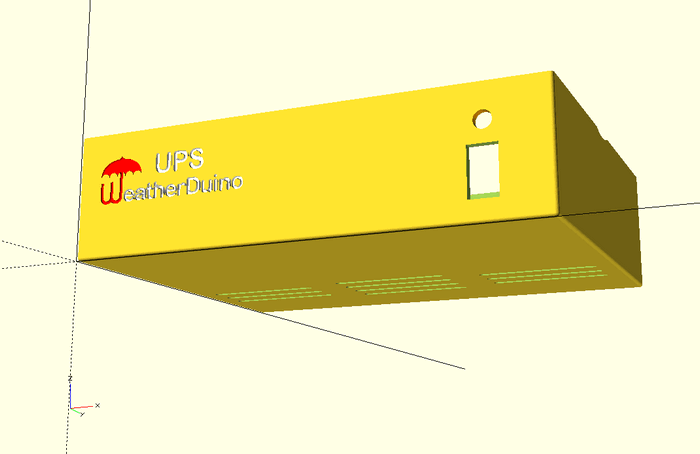


Box includes some extra standoffs, because I use an extra step down converter (white type 1, magenta type 2).


Picture of the first version of this enclosure, without the WeatherDuino logo on the front panel.
Werk,
I cannot open the file it reports as "not a valid archive"

regards
Jim
Reply
#66

(27-03-2020, 22:40)Barrow4491 Wrote:   
Werk,
I cannot open the file it reports as "not a valid archive"

regards
Jim

I couldn't open it either using Windows 10 unzip, Jim. I used 7-Zip instead though and it was fine.

Hope that helps.

Allan.
Reply
#67

(27-03-2020, 22:40)Barrow4491 Wrote:  Werk,
I cannot open the file it reports as "not a valid archive"

regards
Jim

(27-03-2020, 22:57)AllanG Wrote:  I couldn't open it either using Windows 10 unzip, Jim. I used 7-Zip instead though and it was fine.

Hope that helps.

Allan.

Hi Jim and AllanG

Thanks for the report.
I have updated the file right now, please download it again and report back.

Rgs
Reply
#68

(27-03-2020, 04:14)Werk_AG Wrote:  I designed a 3D printable basic enclosure for the WeatherDuino UPS board v1.3
Top cover can easily be removed by hand to inspect or change batteries. No screws.
Can be printed at 0.3 or 0.2 resolution.
Hope it be useful to someone.


Box includes some extra standoffs, because I use an extra step down converter (white type 1, magenta type 2).


Picture of the first version of this enclosure, without the WeatherDuino logo on the front panel.
Werk,
File opens fine now,thanks
Could you post photos of the enclosure with the components installed
Regards
Jim
Reply
#69

Hi Jim,

Assembling in the box is basically putting the UPS v1.3 board inside and connecting some wires.


Reply
#70

(28-03-2020, 00:17)Werk_AG Wrote:  Hi Jim,

Assembling in the box is basically putting the UPS v1.3 board inside and connecting some wires.

Thanks Werk,
just wondering why you have the second converter and the multi colour led?
Reply


Users browsing this thread: 1 Guest(s)