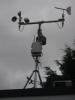
Finally received all the parts needed to finish my WeatherDuino Pro2 units.
Got all the units (Tx, Rx, WD) up and running.
Managed to install CumulusMX, start/stop script and cumulusnow on the Raspberry Pi, all working.
Can access the CumulusMX web interface via desktop PC.
Connected the WeatherDuino Rx unit to the Raspberry Pi verified USB connection.
Rx unit USB not connected to Raspberry Pi, I get the following:
Rx unit USB connected to Raspberry Pi, I get the following:
Added /dev/ttyUSB0 to the Cumulus.ini file:
WeatherDuino RX config:
I start up the Rx unit with the Tx unit already running.
Wait until the LCD screen on the Rx unit displays the Tx data, close the VP1 switch and connect USB to Raspberry Pi and startup CumulusMX.
At this point when I run cumulusnow or the CumulusMX web interface I'm not seeing any data.
Where do I start trouble shooting?
Got all the units (Tx, Rx, WD) up and running.
Managed to install CumulusMX, start/stop script and cumulusnow on the Raspberry Pi, all working.
Can access the CumulusMX web interface via desktop PC.
Connected the WeatherDuino Rx unit to the Raspberry Pi verified USB connection.
Rx unit USB not connected to Raspberry Pi, I get the following:
Code:
pi@RasPi_9:~ $ ls -l /dev/ttyUSB*
ls: cannot access /dev/ttyUSB*: No such file or directory
Rx unit USB connected to Raspberry Pi, I get the following:
Code:
pi@RasPi_9:~ $ ls -l /dev/ttyUSB*
crw-rw---- 1 root dialout 188, 0 Jan 20 23:19 /dev/ttyUSB0
Added /dev/ttyUSB0 to the Cumulus.ini file:
Code:
[Station]
Type=-1
Model=
ComportName=/dev/ttyUSB0
Port=/dev/ttyUSB0
UseDavisLoop2=0
Latitude=-33.8680555555556
Longitude=18.6916666666667
LatTxt=S 33° 52' 05"
LonTxt=E 18° 41' 30"
Altitude=100
AltitudeInFeet=0
Humidity98Fix=0
Wind10MinAverage=0
UseSpeedForAvgCalc=0
DavisReadReceptionStats=0
CalculatedDP=1
CalculatedWC=1
RolloverHour=0
Use10amInSummer=0
ConfirmClose=0
CloseOnSuspend=0
RestartIfUnplugged=0
RestartIfDataStops=0
SyncDavisClock=1
ClockSettingHour=4
SyncFOReads=0
WS2300IgnoreStationClock=1
LogExtraSensors=1
DataLogInterval=0
WindUnit=2
PressureUnit=0
RainUnit=0
TempUnit=0
LocName=MhmT
LocDesc=WeatherDuino Pro2
StartDate=20 January 2017
YTDrain=0
YTDrainyear=0
EWInterval=1
EWFile=
UseDataLogger=1
UseCumulusForecast=1
HourlyForecast=1
UseCumulusPresstrendstr=1
FCpressinMB=1
FClowpress=950
FChighpress=1050
ForceVPBarUpdate=1
UseZeroBearing=1
VP2ConnectionType=0
VP2TCPPort=22222
VP2IPAddr=0.0.0.0
WarnMultiple=0
.
.
.
.
WeatherDuino RX config:
Code:
// --------------------------------------------------------------------------------------
//   User configurable options
// --------------------------------------------------------------------------------------


// --------------------------------------------------------------------------------------
//   Define ID's for this weather station
// --------------------------------------------------------------------------------------
#define Station_ID     0xA1   // Station_ID, use the same value in all TX units
#define Relay_ID       0xA3   // Relay_ID,   use the same value in all WD units


// --------------------------------------------------------------------------------------
//   Define your Weather Station location
// --------------------------------------------------------------------------------------
#define LATITUDE      338    // Put here your Station latitude in tenths of degrees North
#define LONGITUDE     -186    // Put here your Station longitude in tenths of degrees (minus for West)
#define ELEVATION     100    // Put here your Station height above sea level in Meters


// --------------------------------------------------------------------------------------
//   Define Roll Over Hour for Meteorological Day
// --------------------------------------------------------------------------------------
#define MeteoDay_HStart   0   // Use values from 0 to 23


// --------------------------------------------------------------------------------------
//   Define Software Operation Mode
// --------------------------------------------------------------------------------------
#define Work_Mode         0   // Mode 0= Davis VP2 Emulation Mode, Mode 1= EasyWeather Mode


// --------------------------------------------------------------------------------------
//   Define your Display type
// --------------------------------------------------------------------------------------
#define DisplayType       0   // 0= LCD 20x4, 2= LCD 16x2


// --------------------------------------------------------------------------------------
//   Define Display Backlight TimeOut
// --------------------------------------------------------------------------------------
// ---- For old RX boards, version <= 3.01 always set this value to 0
const byte  BackLight_Timeout =  0;   // Timeout for display backlight in minutes (1 to 255). 0 = Always ON


// --------------------------------------------------------------------------------------
//   Define data display units
// --------------------------------------------------------------------------------------
#define Date_Time_Format    0    // 0 for dd-mm-yyyy, 1 for yyyy/mm/dd
#define Temp_Display_Unit   0    // 0 for ºC, 1 for ºF
#define ATM_Display_Unit    0    // 0 for mBar, 1 for inHg
#define Rain_Display_Unit   0    // 0 for mm (no other options)
#define Wind_Display_Unit   0    // 0 for Km/h, 1 for mph, 2 for m/s, 3 for Knots

// --------------------------------------------------------------------------------------
//   Fine adjusts for Inside Temperature and Barometer
// --------------------------------------------------------------------------------------
const int   TemperaturaInt_offset =  0;   // Inside Temperature Fine Adjust in Tenths of Degree (-4 = -0,4ºC)
const float SeaLevel_ATM_offset   =  0;   // Pressure Fine Adjust in mB


// --------------------------------------------------------------------------------------
//   Define Wind Speed and Wind Gust resolution
// --------------------------------------------------------------------------------------
#define VP2_WindRes     2    // If set to 2, set Cumulus Wind Speed and Wind Gust multipliers to 0.448. Wind Resolution 0.72 Km/h (limite 183.6 Km/h)
                             // If set to 1, set Cumulus Wind Speed and Wind Gust multipliers to 0.224. Wind Resolution 0.36 Km/h (limite 91.8 Km/h)
                             // WARNING !!! Setting this variable to 1 allows a better wind speed and gust resolution,
                             // but also limits both of them, to a maximum reading of just 91.8 Km/h
                             // This setting only have effect when the software is used in Davis VP2 emulation mode
                             // If set to 0, system uses Standard Davis 1 mph wind resolution (limite 241 Km/h).


// --------------------------------------------------------------------------------------
//   Define use of Wind Gust Spike prevention routines
// --------------------------------------------------------------------------------------
#define WindSpikeControl 1   // 0= Disable, 1= Enable method 1, 2= Enable method 2


// --------------------------------------------------------------------------------------
//   Define the type of your inside Temperature / Humidity Sensor
//   * Auriol users can't use the SHT31 sensor
// --------------------------------------------------------------------------------------
#define InsideTH_Sensor  3   // 0= DHT22, 1= HTU21D, 2= SHT21, 3*= SHT31


// --------------------------------------------------------------------------------------
//   Define the type of your outside Temperature / Humidity Sensor
// --------------------------------------------------------------------------------------
#define MainOutTH_Sensor 0   // 0 for sensor type SHT31, SHT2x or HTU21D, 1 for sensor type SHT1x or DHT22 (Always 0 when working with Auriol and clones)


// --------------------------------------------------------------------------------------
//   Define the source of your main outside sensors
// --------------------------------------------------------------------------------------
// ---- If you have all the sensors connected to only one TX board, always select Unit 0 as source
// ---- Define the source of your main Temperature / Humidity sensor
#define TH_OutUnit       0   // 0 for Temp/Hum sensor connected to TX_Unit 0, 1 for Temp/Hum sensor connected to TX_Unit 1, 3 for Auriol RF Wind Speed
// ---- Define the source of your Main Wind sensor
#define WIND_OutUnit     0   // 0 for Wind instruments connected to TX_Unit 0, 1 for TX_Unit 1, 3 for Auriol RF Wind Dir
// ---- Define the source of your main Rain Gauge
#define RAIN_OutUnit     0   // 0 for Rain Gauge connected to TX_Unit 0, 1 for TX_Unit 1, 3 for Auriol RF Rain Gauge
// ---- Define the source of your main Solar / UV sensores
#define SRUV_OutUnit     9   // 0 for Solar Rad / UV sensors connected to TX_Unit 0, 1 for TX_Unit1, 9 for not used
// ---- Define installed Solar / UV Sensors
#define Solar_Sensor     0   // 0 for not present; 1 for present
#define UV_Sensor        0   // 0 for not present; 1 for present
#define UV_Transmission 70   // UV Transmission percentage of UV sensor cover material

// --------------------------------------------------------------------------------------
//   Extra Sensors Settings and Mapping
// --------------------------------------------------------------------------------------
// ---- Define the TX source and sensor number of each of the five extra sensors, insert 9 if not used.
// ---- Source 0 (up to 2) means TX unit0, 1 means TX unit1... (sensor type SHT21 or HTU21D is number 0, sensor type SHT1x or DHT22 is number 1)
// ---- First field is Source = TX unit number, Second field = Sensor number (0 or 1) in the TX unit
// ---- Example: {0,1} - First extra sensor, is sensor 1 from TX unit0
//               {1,0} - Second extra sensor, is sensor 0 from TX unit1
//-----                        ES1   ES2   ES3   ES4   ES5
#define ExtraSensors_Source { {9,9},{9,9},{9,9},{9,9},{9,9} }


// --------------------------------------------------------------------------------------
//   ADVANCED FEATURE - Soil / Leaf Interface Settings
// --------------------------------------------------------------------------------------
#define SoilLeaf_Interface 0  // 0= Not used, 1= In use

// ---- Soil & Leaf Sensors Mapping
// ---- Use the same logic than for Extra Sensors
// ---- As source use the TX Unit number where the Soil / Leaf is connected
// ---- For an unused sensor use 9 in both fields
//                                 S1    S2    S3    S4
#define SoilTempSensors_Source  { {1,0},{9,9},{9,9},{9,9} }
#define LeafTempSensors_Source  { {9,9},{9,9},{9,9},{9,9} }
#define SoilMoistSensors_Source { {1,0},{9,9},{9,9},{9,9} }
#define LeafWetSensors_Source   { {1,1},{9,9},{9,9},{9,9} }

// Define VWC calculation method
// Method 1 applies only for VH400 soil moisture sensor
//
// METHOD 1 - Conversion from voltage to VWC (volumetric water content) is done using the piecewise regressions provided by the manufacturer
// at http://www.vegetronix.com/Products/VH400/VH400-Piecewise-Curve.phtml
//
// METHOD 2 - Used for any sensor which have a linear output between voltage and VWC (0V=0VWC, maxV=100VWC) .

#define VWC_CalcMethod 1    // Use 1 or 2

// Max and Min output voltage of the analog sensors connected to Soil / Leaf Interface
// Default value for Decagon Devices LWS Leaf Wetness Sensor (5V power): Max. Output Voltage - 1400mV (max wetness), Min Output Voltage - 530mV (dry)

//                                                  ADC1  ADC2  ADC3  ADC4
const unsigned int AnalogSensor_MaxVoltOut[4]   = { 3000, 1400, 5000, 5000 };    // Values in miliVolt
const unsigned int AnalogSensor_MinVoltOut[4]   = {    0,  530,    0,    0 };


// --------------------------------------------------------------------------------------
//   Enable / Disable Relay Data to Wireless Display Units  (Don't enable without an antenna attached to RF output)
// --------------------------------------------------------------------------------------
#define Relay_Data       1   // 0= Disable, 1= Enable


// --------------------------------------------------------------------------------------
//   Davis compatible Data Logger Settings
// --------------------------------------------------------------------------------------
#define Logger_Enable    1   // 0= Disable, 1= Enable
byte ARCHIVE_PERIOD  =   5;  // Default Archive Period in Minutes (Usable values: 1, 5, 10, 15, 30, 60 or 120)


// --------------------------------------------------------------------------------------
//   Enable / Disable GPO - General Purpose Output (on boards <= v5.xx use Led+, Led- pins)
// --------------------------------------------------------------------------------------
#define UseGPO           0   // 0=Disable, 1= Enable


// --------------------------------------------------------------------------------------
//   Test Mode : Never run a live system in test mode
// --------------------------------------------------------------------------------------
#define TestMode    false   // false or true


// --------------------------------------------------------------------------------------
//   Hardware settings
// --------------------------------------------------------------------------------------
// ---- Define your RX board, main version number
#define Board_Version    6     // 6 for all RX boards v6.xx, 5 for all RX boards v5.xx, 4 for all RX boards v4.xx

// ---- Define LCD I2C address
// Only change this if your LCD don't display any data. I2C_Scanner utility may help you to find the address of your LCD display
// Default address will work most of the times!
#define LCD_I2C_Address 0x27

// --------------------------------------------------------------------------------------
//   Presure Sensor Address (no need to change)
// --------------------------------------------------------------------------------------
//#define BMP085_ADDRESS 0x77    // I2C address of BMP085 or BMP180


// --------------------------------------------------------------------------------------
//   SHT31 I2C Address - Default address will work most of the times!
// --------------------------------------------------------------------------------------
#define SHT31_address 0x44       // Default value is 0x44, but it can be changed to 0x45


// ---------------------------------------------------------------------------------------------------
//     End of user configurable options
// ---------------------------------------------------------------------------------------------------
I start up the Rx unit with the Tx unit already running.
Wait until the LCD screen on the Rx unit displays the Tx data, close the VP1 switch and connect USB to Raspberry Pi and startup CumulusMX.
At this point when I run cumulusnow or the CumulusMX web interface I'm not seeing any data.
Where do I start trouble shooting?