


Connecting a 20x4 LCD Screen
For those who wish to connect a 20x4 LCD screen, this process is pretty straight forward. Simply connect the four (4) pins on the I2C/LCD connector to the corresponding pins on the back of the LCD screen.
Also ensure that you have selected the 20x4 LCD screen in the user options:
// --------------------------------------------------------------------------------------
// Define your Display type
// --------------------------------------------------------------------------------------
#define DisplayType 1 // 1= LCD 20x4, 3= TFT 320x240 ILI9341
// --------------------------------------------------------------------------------------
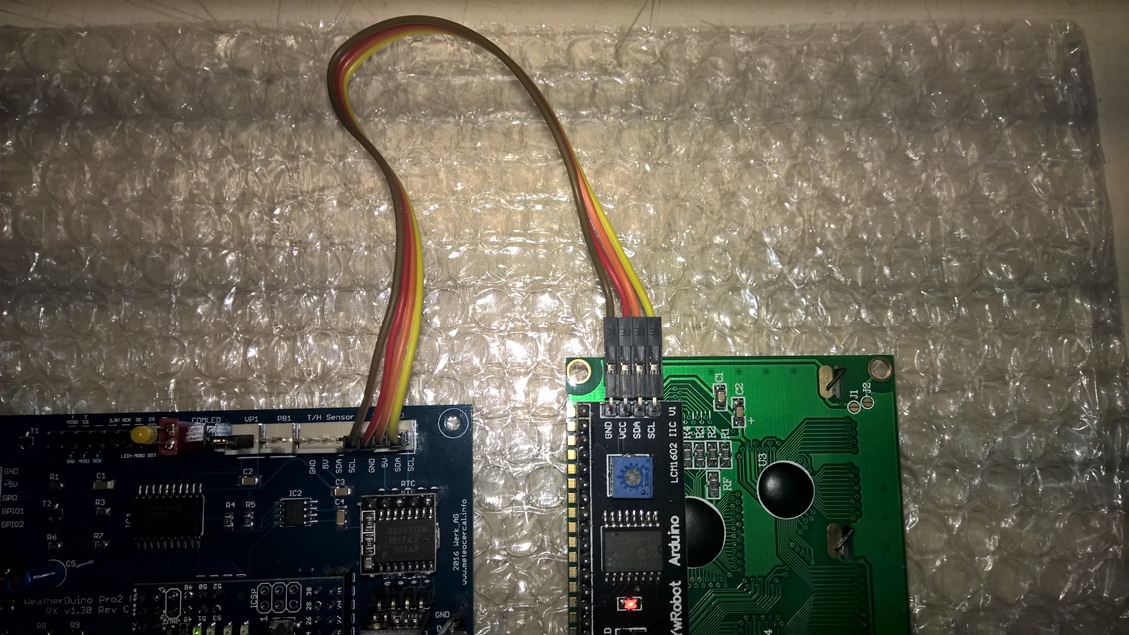
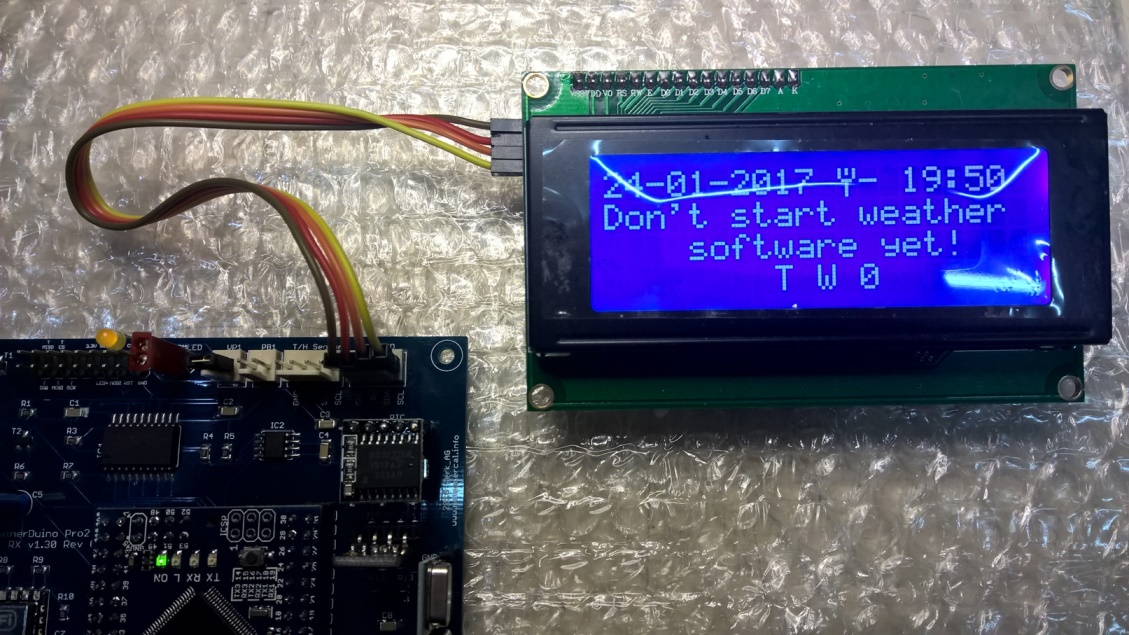
For those who wish to connect a 20x4 LCD screen, this process is pretty straight forward. Simply connect the four (4) pins on the I2C/LCD connector to the corresponding pins on the back of the LCD screen.
Also ensure that you have selected the 20x4 LCD screen in the user options:
// --------------------------------------------------------------------------------------
// Define your Display type
// --------------------------------------------------------------------------------------
#define DisplayType 1 // 1= LCD 20x4, 3= TFT 320x240 ILI9341
// --------------------------------------------------------------------------------------