


30-07-2021, 02:37
Installing and Configuring the Software
As part of pre-delivery testing, all units are programmed with the latest firmware version, however, as each user have their own specific settings, users need to configure some items, and reprogram the firmware.
Configuring the firmware doesn't require software programming skills, however knowledge on how to upload the firmware to ESP32 devices, using Arduino IDE, is required.
First time programming should be done using the USB port of the 4Pro DB receiver, after that, the receiver can be programmed / updated via OTA.
Before compiling, on Arduino IDE choose: Tools --> Board: --> Esp32 Arduino --> MH ET LIVE ESP32MiniKit
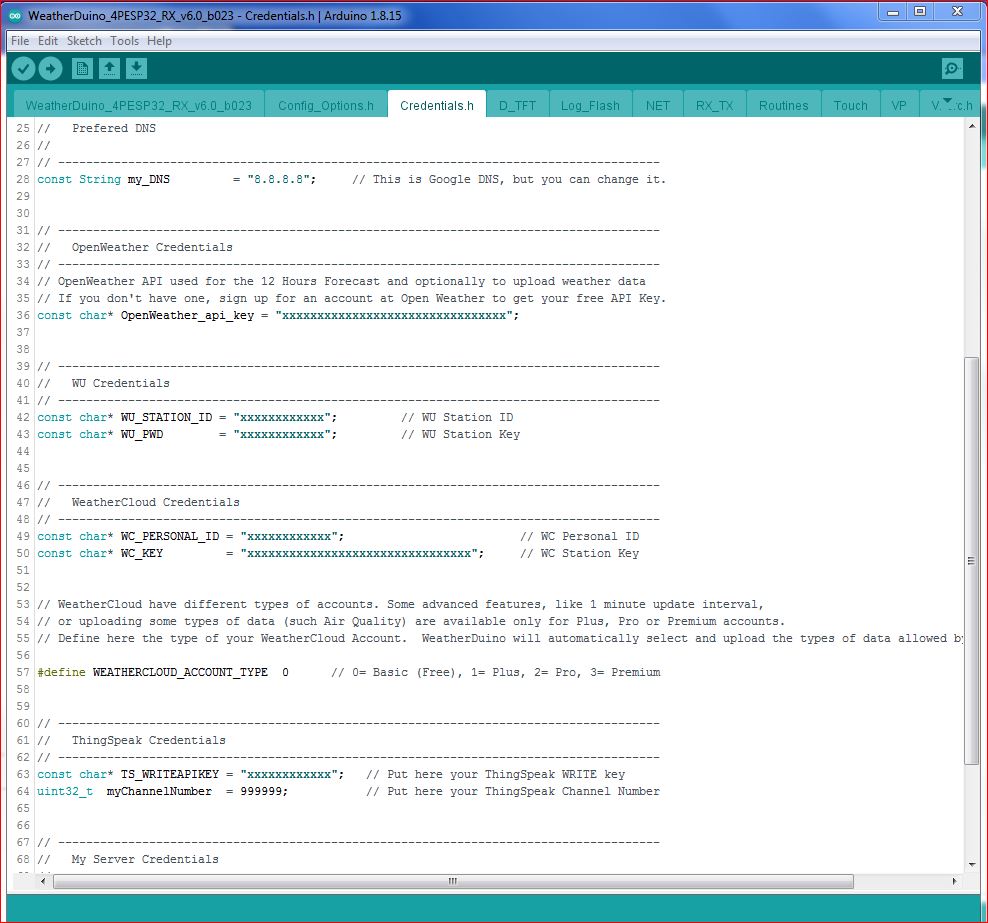
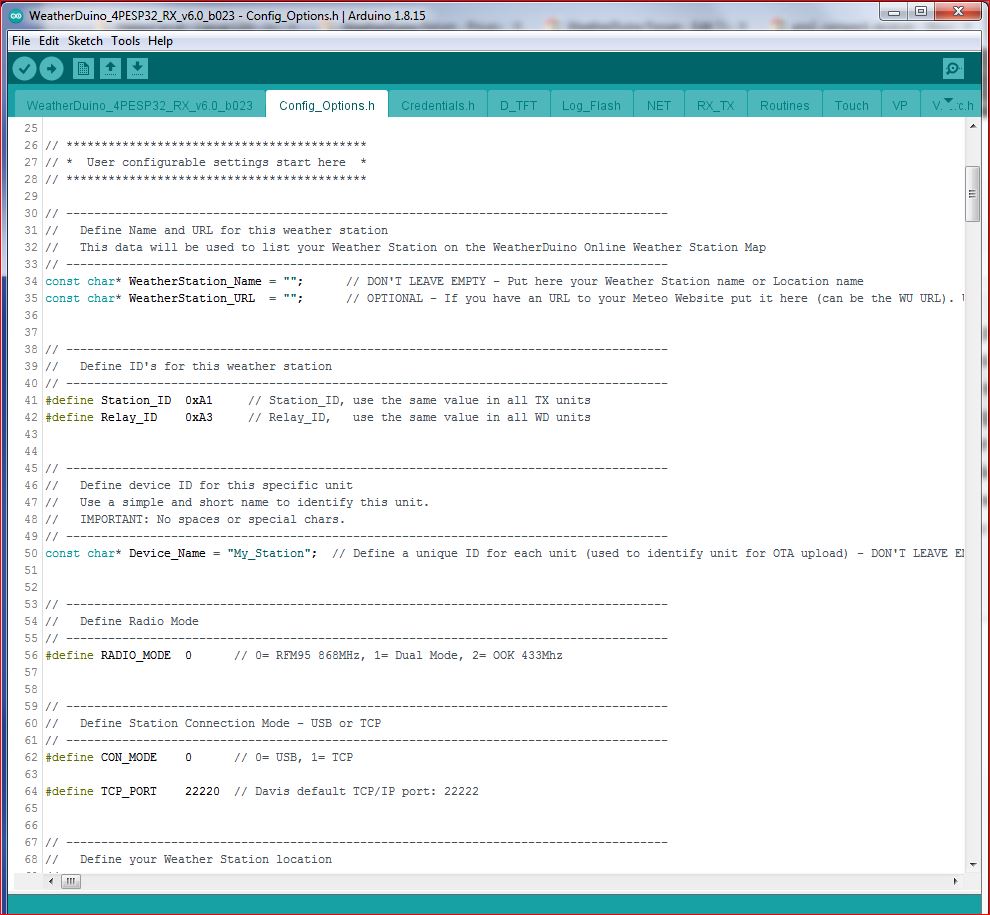
Despite there are some advanced settings, in general, configuring the WeatherDuino firmware is almost self-explanatory, as shown in examples bellow.
As part of pre-delivery testing, all units are programmed with the latest firmware version, however, as each user have their own specific settings, users need to configure some items, and reprogram the firmware.
Configuring the firmware doesn't require software programming skills, however knowledge on how to upload the firmware to ESP32 devices, using Arduino IDE, is required.
First time programming should be done using the USB port of the 4Pro DB receiver, after that, the receiver can be programmed / updated via OTA.
Before compiling, on Arduino IDE choose: Tools --> Board: --> Esp32 Arduino --> MH ET LIVE ESP32MiniKit
Despite there are some advanced settings, in general, configuring the WeatherDuino firmware is almost self-explanatory, as shown in examples bellow.